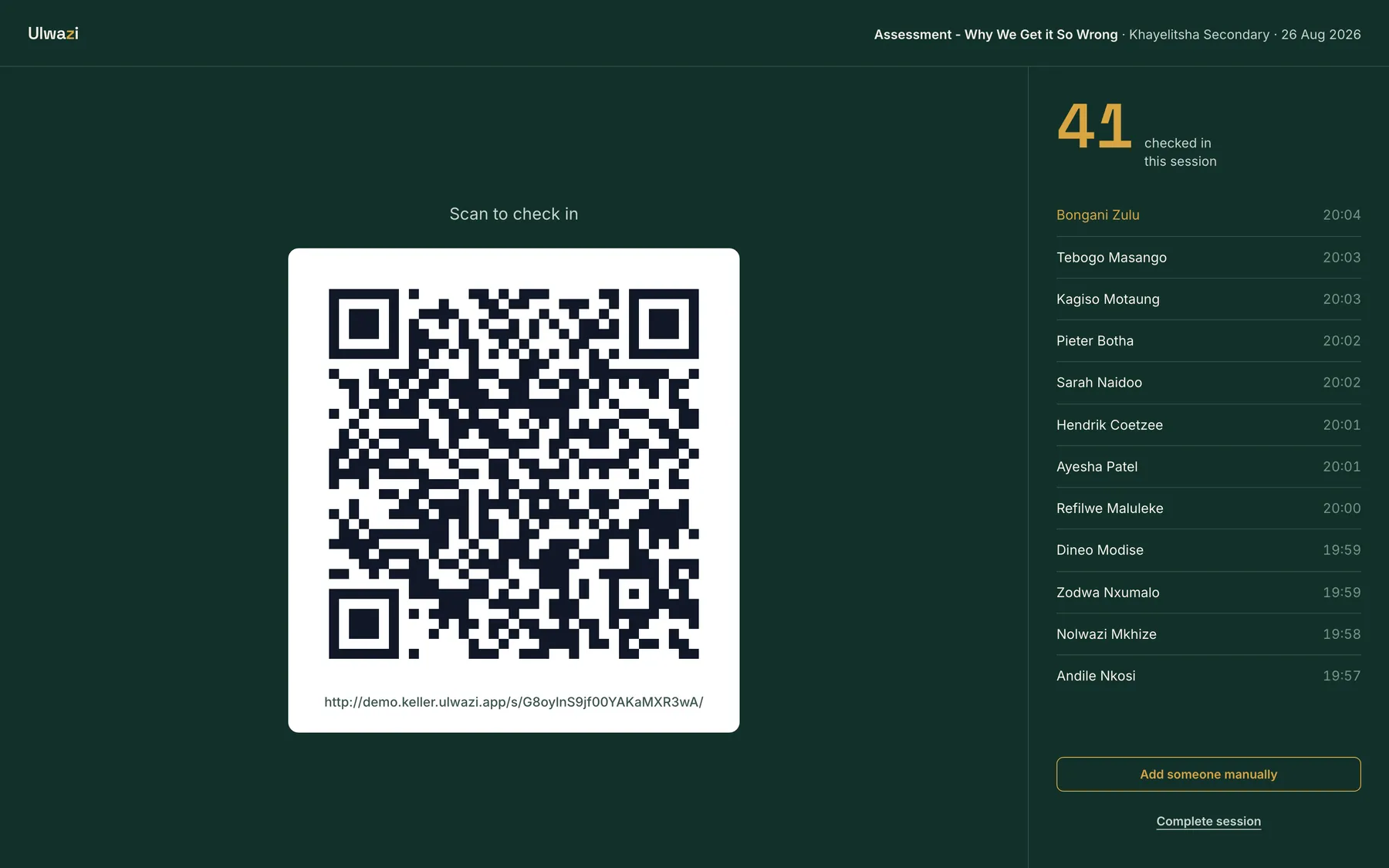
A teacher scans a code at the door. Ulwazi handles everything after that.
Ulwazi runs the whole compliance loop for a SACE-approved CPD provider. It captures attendance by QR code at the session, accrues each teacher's points, generates the official SACE documents, and keeps permanent proof of every submission.
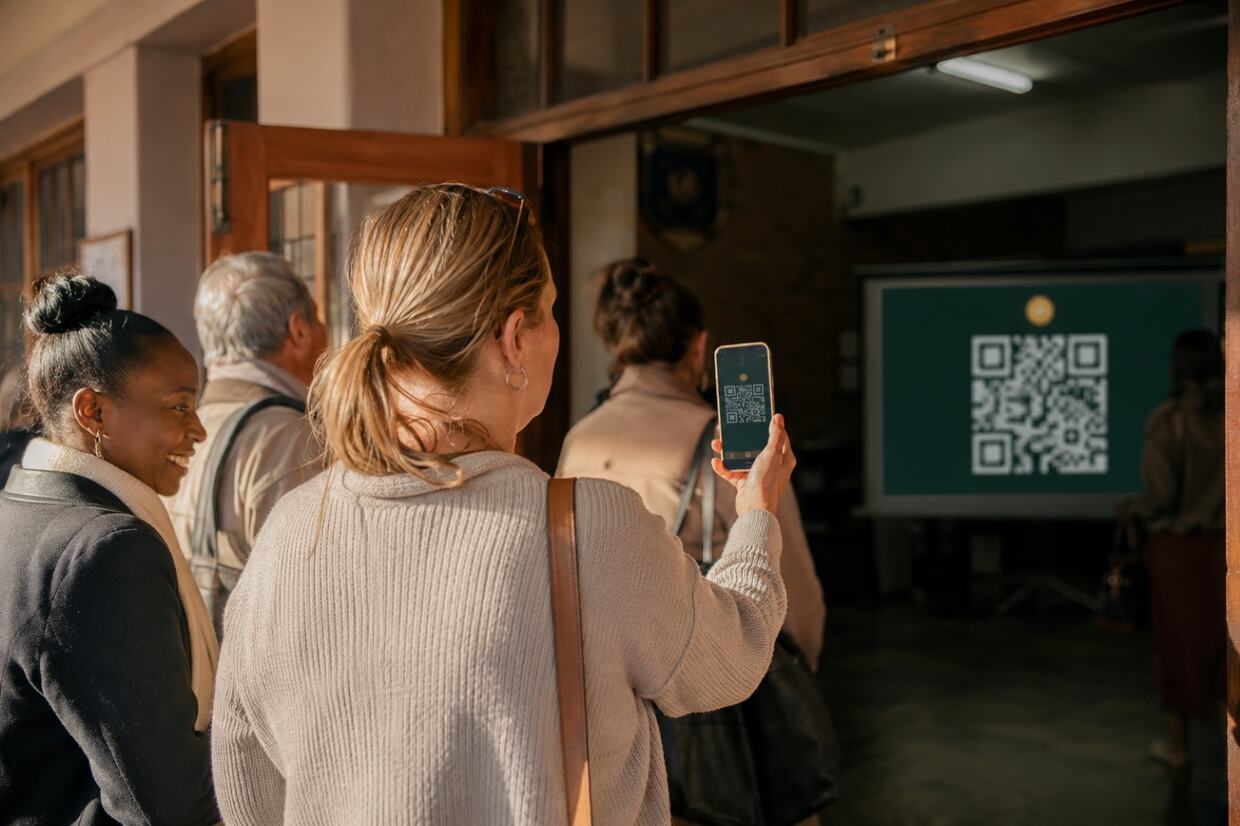
One loop, from the door to SACE.
-
1
Session
Schedule a course at a school or a conference. Ulwazi warns you if the course endorsement has expired.
-
2
Scan
Teachers check in by QR code at the door. No app, no login, no account.
-
3
Register
The register builds itself while you present. Points accrue per teacher.
-
4
SACE pack
One click generates the official SACE documents, prefilled, and emails them.
-
5
Proof
A permanent submission log, with every generated file kept.
Check-in takes under ten seconds.
Teachers scan a QR code and enter one number. The pages are built for an old phone on school-hall 3G, and they stay under 100KB. A first-time teacher fills in a short form once, consent included.
If anything goes wrong, the presenter adds the teacher by hand from the live screen. The door queue never stalls.
The SACE paperwork fills itself in.
One click turns a session into the official Type 3 Attendance Register and the Professional Development Activity Profile Form, matched to SACE's own layouts and prefilled from the scans. Email the pack straight to SACE, or download it. Batch a whole term into one zip.
Proof is kept.
Every send is logged: which sessions, how many teachers, sent to whom, by whom, when. The question "what did we send SACE and when" always has an answer, with the original files attached.
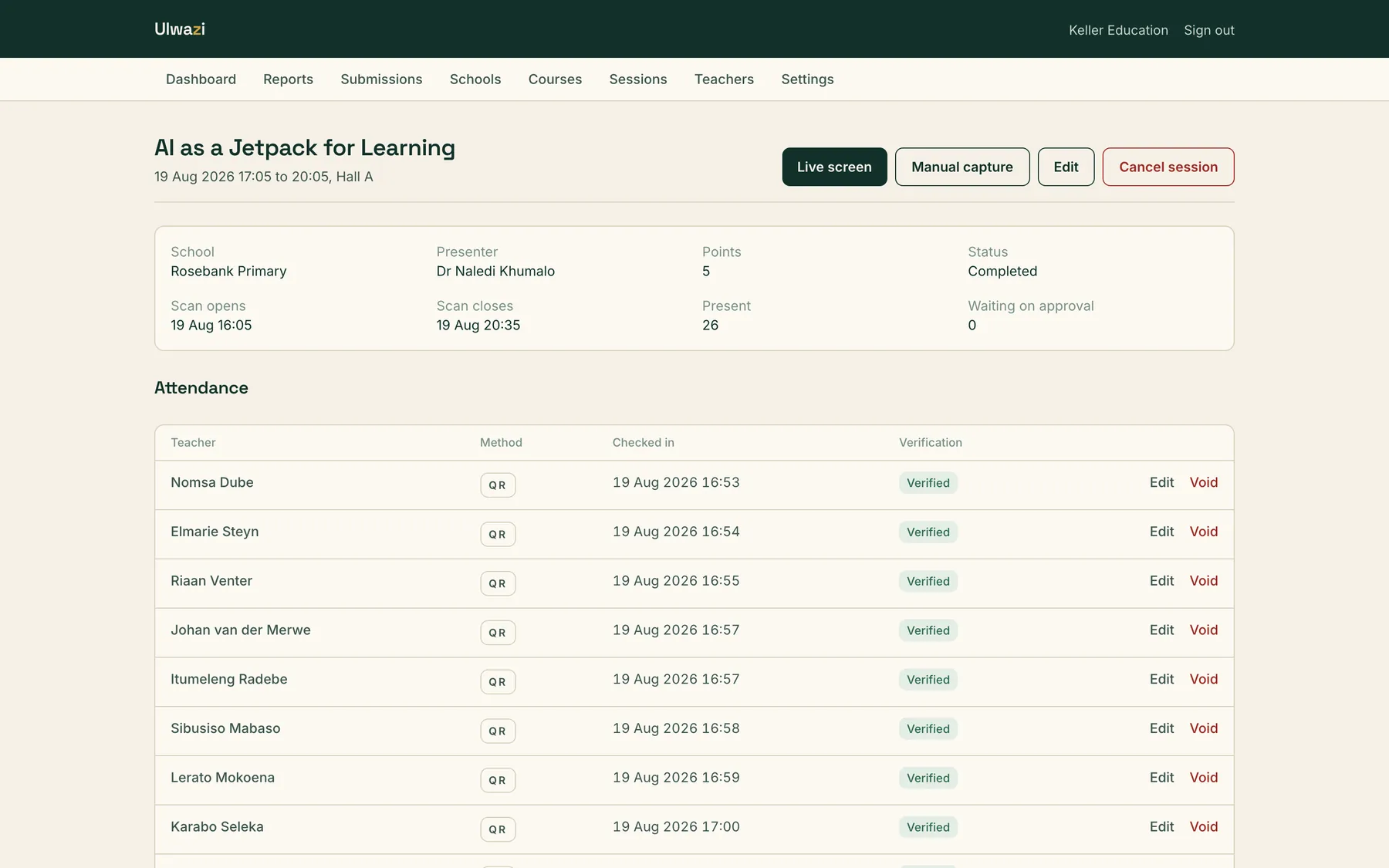

Schools get their own dashboard.
Coordinators see sessions, registers and per-teacher points for their own school, ready for IQMS evidence. Their register leaves out ID numbers entirely, because schools have no need for them. It is free for every school.
Teachers see their points immediately.
The check-in screen shows the points for the session and the teacher's running total with that provider. SACE tells teachers to check that providers report their attendance. On Ulwazi they can watch it happen.
POPIA is built in.
Consent is captured in plain language at first registration, and Ulwazi stores exactly what each teacher agreed to. ID numbers are encrypted and masked. They appear in full only on the SACE documents themselves. Data is hosted in South Africa.
Priced per event.
A flat fee for each session you deliver. No subscription and no per-teacher charges. Cancelled sessions never bill, and schools and teachers pay nothing.
Run your next session on Ulwazi.
Tell us about the courses you run and the schools you work with. We will show you the whole loop on your own material.